

Firewall: Working System and Purpose
What is a Firewall?
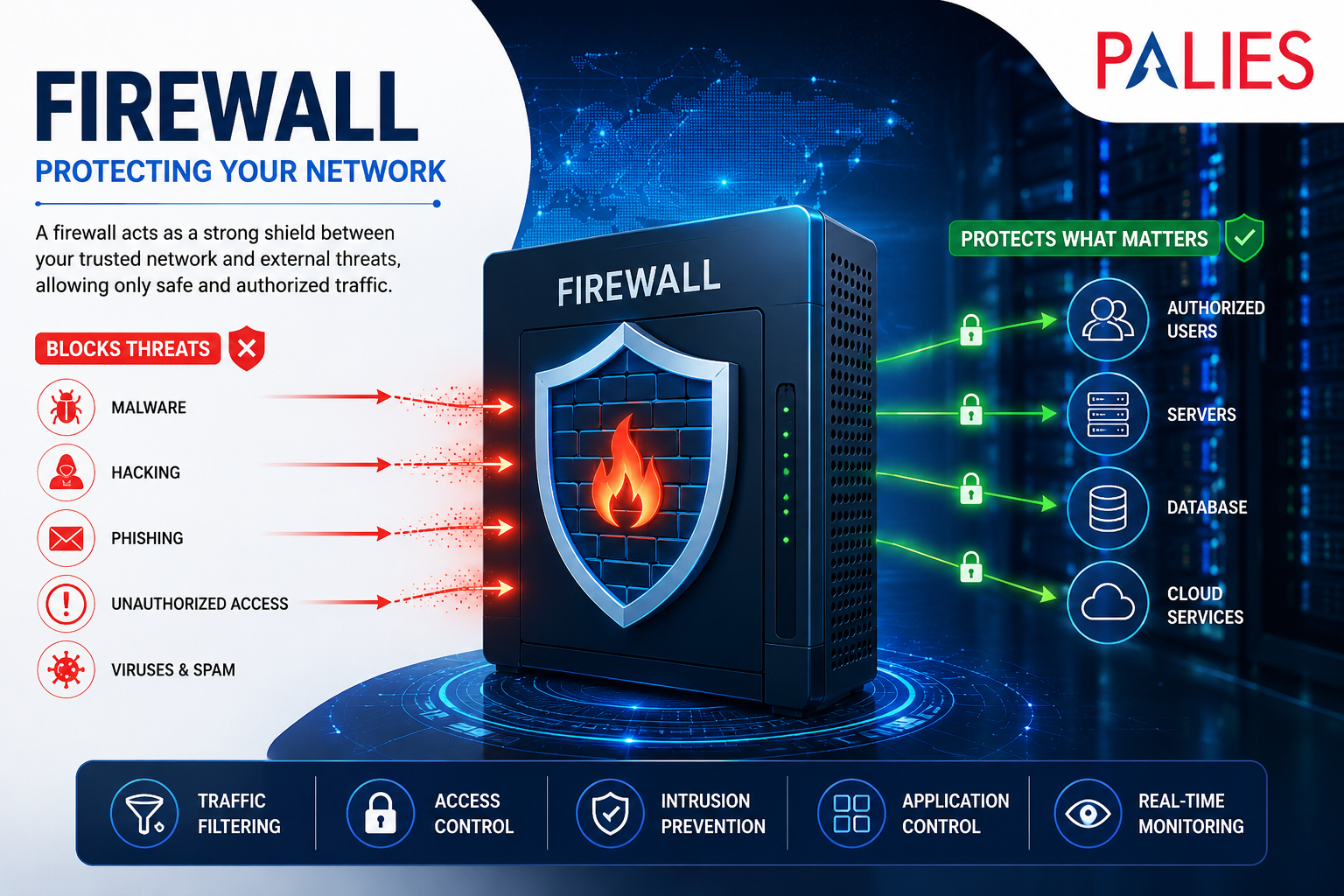
A firewall is a network security device or software application that monitors, filters, and controls incoming and outgoing network traffic based on predefined security rules. It acts as a barrier between a trusted internal network and untrusted external networks, such as the Internet, protecting systems from unauthorized access, cyberattacks, and malicious traffic.
Think of a firewall as a security guard at the entrance of a building. It checks everyone entering or leaving and allows only authorized people while blocking intruders.
How a Firewall Works
A firewall examines every data packet traveling through a network and decides whether to:
- Allow the traffic
- Block the traffic
- Log the activity for monitoring
- Alert administrators if suspicious activity is detected
The firewall uses security policies and rules based on factors such as
- Source IP address
- Destination IP address
- Port number
- Protocol (TCP, UDP, ICMP)
- Application type
- Website or domain
- User identity

Packet Filtering Process
Incoming Data Packet
│
▼
Check Firewall Rules
│
┌──────┴──────┐
│ │
Allowed? Blocked?
│ │
▼ ▼
Send to Discard Packet
Destination Generate Log
Types of Firewalls
- Packet Filtering Firewall
- Inspects individual data packets.
- Checks IP addresses, ports, and protocols.
- Fast and efficient.
- Limited protection against advanced attacks.
Advantages
- High performance
- Low cost
- Easy implementation
Disadvantages
- Cannot inspect packet contents deeply
- Vulnerable to sophisticated attacks
- Stateful Inspection Firewall
Maintains information about active network connections.
Instead of checking every packet independently, it tracks the entire communication session.
Features
- Better security
- Faster than application filtering
- Detects suspicious connections
- Proxy Firewall
Acts as an intermediary between users and the Internet.
Instead of users connecting directly to websites, they communicate through the firewall.
Benefits
- Hides internal IP addresses
- Prevents direct communication
- Filters web traffic
- Next-Generation Firewall (NGFW)
An advanced firewall combining traditional filtering with modern security features.
Features
- Deep Packet Inspection (DPI)
- Intrusion Prevention System (IPS)
- Antivirus scanning
- Malware detection
- Application awareness
- URL filtering
- SSL/TLS inspection
- Cloud Firewall
A firewall hosted in the cloud to protect cloud-based applications and services.
Suitable for:
- Cloud computing
- Hybrid networks
- Remote workforce
Firewall Deployment Types
Hardware Firewall
A dedicated physical device installed between the Internet and the internal network.
Suitable for
- Enterprises
- Data centers
- Offices
- Schools
Software Firewall
Installed directly on computers or servers.
Examples:
- Windows Defender Firewall
- Linux iptables/nftables
- macOS Firewall
Cloud Firewall
Protects cloud resources without requiring physical hardware.
Purpose of a Firewall
- Prevent Unauthorized Access
Blocks hackers from accessing private networks.
- Protect Sensitive Data
Safeguards confidential information such as
- Customer records
- Financial data
- Medical records
- Employee information
- Block Malware
Stops malicious software including:
- Viruses
- Worms
- Trojans
- Spyware
- Ransomware
- Monitor Network Traffic
Logs all network activity to help administrators identify suspicious behavior.
- Control Internet Usage
Organizations can restrict access to
- Social media
- Gaming websites
- Streaming platforms
- Unauthorized applications
- Prevent Cyber Attacks
Helps defend against
- Denial-of-Service (DoS)
- Distributed Denial-of-Service (DDoS)
- Port scanning
- Unauthorized login attempts
- Exploitation attempts
- Enforce Security Policies
Ensures users follow organisational security rules regarding network access.

Advantages of Firewalls
- Protects against unauthorised access
- Reduces cyberattack risks
- Controls network traffic
- Supports compliance with security standards
- Provides activity logging and monitoring
- Improves network security
- Protects sensitive business information
Limitations of Firewalls
- Cannot stop attacks that bypass network controls (e.g., infected USB drives).
- May not prevent insider threats.
- Cannot protect against weak passwords on its own.
- Requires regular updates and proper configuration.
- Advanced attacks may require additional security tools.
Firewall vs Antivirus
Feature | Firewall | Antivirus |
Primary Function | Filters network traffic | Detects and removes malware |
Protects Against | Unauthorized network access | Viruses, worms, ransomware |
Monitors | Incoming and outgoing connections | Files, applications, and system memory |
Deployment | Network or host level | Installed on individual devices |
Purpose | Prevent unauthorised communication | Detect and eliminate malicious software |
Common Firewall Use Cases
Home Networks
- Protect home Wi-Fi
- Secure smart devices
- Block unauthorized access
Small Businesses
- Secure office networks
- Protect customer data
- Enable secure remote access
Enterprises
- Protect large corporate networks
- Segment departments
- Secure data centers
- Monitor thousands of users
Cloud Environments
- Protect virtual machines
- Secure cloud applications
- Control access to cloud resources
Best Practices
- Enable the firewall on all devices.
- Keep firewall software and firmware updated.
- Use the principle of least privilege when creating rules.
- Review firewall logs regularly.
- Combine firewalls with antivirus, intrusion detection/prevention systems (IDS/IPS), and multi-factor authentication (MFA).
- Remove unused or outdated firewall rules.
Conclusion
A firewall is a fundamental component of cybersecurity that protects networks by inspecting and controlling traffic according to security policies. Whether deployed as hardware, software, or a cloud service, firewalls help prevent unauthorized access, reduce cyber risks, enforce organizational security policies, and protect valuable data. While essential, they are most effective when used as part of a layered security strategy that includes antivirus, endpoint protection, regular updates, backups, and user awareness training.