

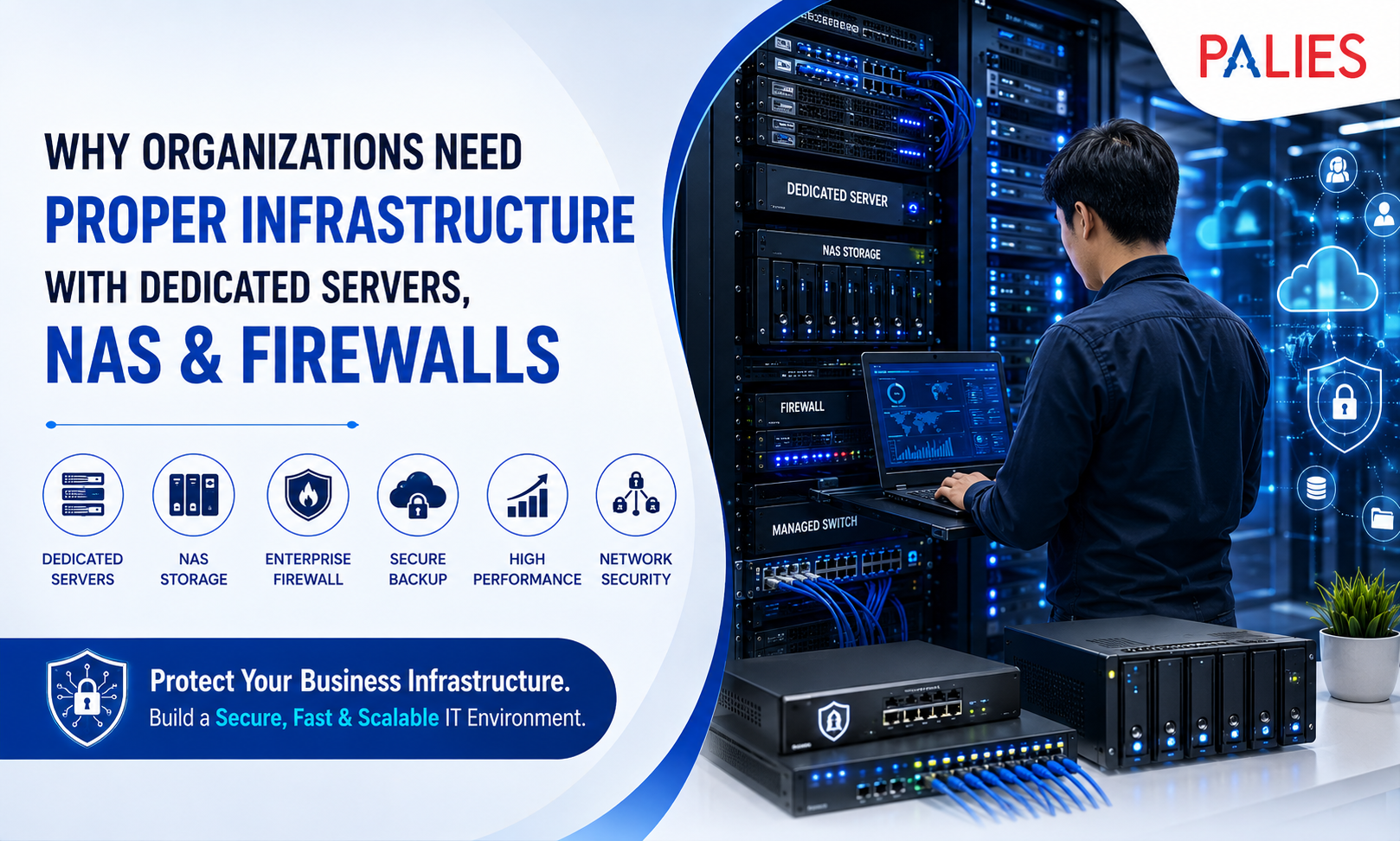
A proper infrastructure baseline built around dedicated servers, Network Attached Storage, and managed firewalls is not merely an IT upgrade. It is the minimum architecture most organizations need to control cybersecurity risk, deliver predictable service levels, and make compliance, backup, and recovery operationally effective rather than aspirational.
Firewalls control traffic between trust zones. Network segmentation limits lateral movement. Dedicated servers provide controlled computing resources for identity management, databases, business applications, and virtualization. NAS platforms centralize storage, backup, snapshots, and replication.
Together, these components support security, resilience, governance, recovery, and business continuity through technical controls that can be planned, monitored, documented, and tested.
Because every organization has a different environment, this article does not assume a specific industry, application mix, cloud platform, geographic footprint, or identity system. The recommendations are therefore divided into three broad categories:
- Small organizations with up to 50 users
- Medium organizations with 51 to 500 users
- Large organizations with more than 500 users
As a general rule, small organizations should begin with one business-grade server, one backup-capable NAS, and a managed perimeter firewall with VLAN support.
Medium organizations should progress toward at least a two-host virtualization cluster, shared storage, immutable backups, and a high-availability firewall pair.
Large organizations should adopt clustered computing, tiered storage, high-availability firewalls, segmented networks, centralized logging, and hybrid off-site backup or disaster recovery.
The business case for proper infrastructure is strong, even before considering major incidents. A serious outage can cost an organization more than $100,000, while severe outages may result in losses exceeding $1 million. The average cost of a data breach can reach several million dollars.
Proper infrastructure does not eliminate these risks, but it materially reduces the probability that a single hardware failure, ransomware incident, misconfiguration, or unsuccessful restore becomes a business crisis.
The recommended approach is to build a hybrid, defense-in-depth infrastructure baseline consisting of
- Local dedicated servers for core workloads and low-latency control
- NAS for centralized storage, snapshots, and backup
- High-availability firewalls for segmentation and policy enforcement
- Cloud object storage for off-site, immutable backup retention
For most organizations, this combination provides a practical balance of control, recovery speed, cybersecurity, scalability, and long-term cost management.
The Strategic Case for Proper IT Infrastructure
Organizations should view infrastructure as a control system for business risk, not simply as a collection of hardware.
Dedicated servers provide predictable computing power and administrative control for
- Identity services
- Line-of-business applications
- Virtualization hosts
- Databases
- Business management tools
- Authentication systems
- Monitoring platforms
NAS platforms centralize file services and backup targets while enabling
- Snapshots
- Replication
- Shared storage
- Multi-protocol access
- Backup retention
- Disaster recovery support
Firewalls and segmentation enforce boundaries between
- Users
- Servers
- Management systems
- Guest networks
- Backup platforms
- Internet-facing services
- Security devices
- Remote users
Together, these three layers create a manageable foundation for confidentiality, integrity, availability, and recoverability.
Why Virtualization Is Important
Virtualization is a major force multiplier in modern infrastructure.
Full virtualization improves operational efficiency by allowing one physical server to host multiple virtual servers. Instead of operating several separate physical machines, an organization can consolidate multiple workloads onto fewer physical servers.
For example, one virtualization host may run
- An Active Directory server
- A file server
- An application server
- A database server
- A monitoring server
- A backup management server
This approach improves hardware utilization while supporting
- Virtual machine snapshots
- Workload migration
- Backup integration
- Easier maintenance
- Simplified disaster recovery
- Faster server provisioning
- Better resource allocation
Virtualization also reduces dependence on scattered standalone systems that are difficult to maintain, monitor, and secure.
The Role of Cloud and Hybrid Infrastructure
Cloud computing remains important, but it does not remove the need for proper architecture.
Cloud platforms allow organizations to convert fixed infrastructure costs into variable operating costs. They also support rapid provisioning, elastic demand, off-site backup, and disaster recovery.
However, infrastructure decisions are rarely limited to choosing either cloud or on-premises systems.
A full-cloud model may be attractive for
- Rapid deployment
- Variable workloads
- Temporary capacity
- Geographic expansion
- Remote access
- Cloud-native applications
On-premises infrastructure may be better for
- Local performance
- Predictable workloads
- Data control
- Low latency
- Custom security requirements
- Regulatory obligations
- Long-term cost predictability
A hybrid infrastructure model combines on-premises systems with public cloud services.
For many organizations, hybrid infrastructure provides the best balance of performance, security, cost management, control, resilience, and flexibility.
| Dimension | Dedicated Servers On-Premises | Public Cloud IaaS | Hybrid Recommendation |
| Cost model | Primarily capital expenditure, plus support, power, and lifecycle costs | Operating expenditure with pay-as-you-go pricing | Use on-premises infrastructure for steady workloads and cloud services for backup, disaster recovery, temporary capacity, and demand bursts |
| Control | High control over hardware, firmware, topology, and data location | Rapid provisioning but less physical control | Keep critical systems and management platforms local while extending to the cloud where it improves resilience |
| Performance | Strong for local and predictable workloads | Strong for elastic demand and rapid scaling | Place latency-sensitive workloads locally and use cloud services for overflow and recovery |
| Operations | Requires internal patching, monitoring, maintenance, and lifecycle management | The provider manages the physical infrastructure | Centralize management regardless of where workloads are located |
| Compliance posture | Easier to design around local data residency and custom requirements | Useful when cloud controls align with compliance needs | Use hybrid infrastructure when regulations require local control but off-site resilience is also necessary |
Security Foundations
Why Firewalls Are Essential
Firewalls are foundational because they control traffic between networks or systems with different security levels.
A firewall policy determines how inbound and outbound traffic is handled. Organizations must select, configure, test, deploy, monitor, and manage firewalls as formal policy-enforcement points.
A properly configured firewall can
- Allow approved services
- Block unauthorized access
- Restrict risky protocols
- Inspect network connections
- Log network activity
- Identify suspicious traffic
- Protect internal resources
- Support secure remote access
Strong segmentation, access controls, DMZ placement, and stateful inspection reduce the ability of attackers to move laterally or expose unnecessary services.
Why Network Segmentation Matters
Segmentation reduces the attack surface by preventing all systems from being equally reachable.
Network segmentation divides a network into multiple physical or virtual sections.
In a well-designed environment, user devices should not operate on the same unrestricted network as:
- Servers
- Backup repositories
- Security cameras
- Printers
- Management interfaces
- Guest devices
- Storage systems
- Internet-facing applications
Typical network segments may include
- User VLAN
- Server VLAN
- Guest VLAN
- Backup VLAN
- Management VLAN
- Voice VLAN
- CCTV VLAN
- DMZ
- Wireless device VLAN
Backups and management networks should be especially isolated because ransomware attackers frequently target administrative systems and accessible backup repositories.
A flat network allows attackers to move easily between systems. A segmented network limits movement and reduces the potential impact of a compromised device.
Encryption and Immutable Storage
Encryption protects data both at rest and while it is being transmitted.
Organizations may use:
- Full-disk encryption
- Volume encryption
- Virtual disk encryption
- File-level encryption
- Folder-level encryption
- Database encryption
- Transport encryption
The appropriate method depends on the type of storage and the threat being addressed.
Modern NAS and cloud backup systems may also provide immutable storage or Write Once, Read Many protection.
Immutability is especially important because ransomware attackers often attempt to:
- Delete backups
- Encrypt backup repositories
- Modify recovery points
- Disable backup jobs
- Compromise backup administrators
Immutable snapshots and backup copies prevent stored data from being altered or deleted during a defined retention period.
Logging and Forensic Readiness
Logging and forensic readiness transform infrastructure from simply being protected into being capable of investigation.
Strong log management should cover:
- Servers
- Firewalls
- Storage platforms
- Authentication systems
- Backup systems
- Applications
- Network equipment
- Cloud services
- Administrative activities
Centralized servers and managed storage provide stable locations for:
- Log forwarding
- Security event retention
- Time synchronization
- Audit data
- Incident response records
- Backup job history
- Access records
Without centralized logging, investigating an incident can become slow, incomplete, and expensive.
Firewall Types and Their Best Uses
| Firewall Type | What It Does Best | Best Use Case | Main Trade-Off |
| Stateful inspection firewall | Tracks connection states and improves upon basic packet filtering | Basic network boundary control and internal segmentation | Offers less application and user context than modern next-generation firewalls |
| Next-generation firewall | Identifies applications, users, and content while adding intrusion prevention and deeper inspection | Medium and large organizations, regulated environments, and advanced policy enforcement | Higher cost and greater policy complexity |
| Unified Threat Management appliance | Combines antivirus, web filtering, VPN, anti-spam, application control, and other services | Small organizations and branch offices that require simpler administration | May become a bottleneck if too many security services are enabled on undersized hardware |
Security Requirements by Organization Size
Small organizations can usually start with:
- A managed UTM or entry-level next-generation firewall
- Four to six carefully designed VLANs
- Secure remote access
- Multi-factor authentication
- Regular log reviews
- Cloud or off-site backup
Medium organizations should consider
- A high-availability firewall pair
- MFA-protected administration
- Dedicated server, user, guest, backup, and management zones
- Centralized logging
- Immutable backups
- Secure VPN services
- Intrusion prevention
- Application-aware security policies
Large organizations should plan for:
- Dedicated security zones
- Zero-trust-style segmentation
- Multiple firewall tiers
- Centralized SIEM and SOAR workflows
- Explicit forensic retention policies
- Separate management networks
- Separate backup networks
- Multiple internet and WAN paths
- Advanced threat detection
Availability, Reliability, and Recovery
Availability Is More Than Good Hardware
Availability is not achieved simply by purchasing high-quality equipment.
It comes from
- Eliminating single points of failure
- Defining recovery objectives
- Monitoring critical systems
- Testing backups
- Validating restore processes
- Maintaining redundant infrastructure
- Documenting recovery procedures
Two important concepts are:
Recovery Point Objective
Recovery Point Objective, or RPO, is the maximum amount of data loss an organization can tolerate.
For example, an RPO of four hours means the organization may lose up to four hours of data following a major failure.
Recovery Time Objective
Recovery Time Objective, or RTO, is the maximum acceptable period of service downtime.
For example, an RTO of two hours means the affected service must be restored within two hours.
Organizations must ensure that their backup, server, firewall, storage, and recovery technologies can meet these objectives.
Layered Redundancy
Redundancy should be implemented across multiple infrastructure layers.
Server Redundancy
At the server level, redundancy may include
- RAID
- ECC memory
- Dual power supplies
- Multiple network connections
- Multiple virtualization hosts
- Hardware monitoring
- Hot-swappable drives
- Clustered workloads
Medium and large organizations should generally use at least two virtualization hosts so workloads can continue or be recovered during maintenance or hardware failure.
Network Redundancy
At the network level, redundancy may include
- High-availability firewalls
- Redundant switches
- Multiple internet connections
- Redundant WAN paths
- Dual network interfaces
- Automatic failover
- Separate management access
Storage and Backup Redundancy
At the storage level, redundancy should include:
- RAID
- Snapshots
- Replication
- Immutable backups
- Off-site backups
- Cloud backup copies
- Restore testing
Snapshots alone are not backups.
Similarly, backups that remain permanently online and writable may still be vulnerable to ransomware.
Suggested Recovery Targets
A practical recovery profile may look like this:
Small Organizations
- General file service RPO: 4 to 24 hours
- General file service RTO: 4 to 8 hours
- Identity and critical applications should be restored first
Medium Organizations
- Core service RPO: 1 to 4 hours
- Core service RTO: 1 to 4 hours
- Critical applications may require faster recovery
Large Organizations
- Critical database RPO: less than one hour
- Critical service RTO: less than one hour
- Failover should be planned and automated where practical
These targets should be adjusted based on business impact, regulatory requirements, application importance, and operational risk.
Recommended Backup and Restore Procedures
Backup maturity is just as important as hardware selection.
Organizations should document:
- Backup sources
- Backup frequency
- Retention periods
- Encryption requirements
- Encryption key management
- Immutable retention periods
- Restore priority
- Administrative permissions
- Off-site copy location
- Recovery responsibilities
- Restore testing schedule
At minimum, organizations should perform regular restore tests.
A backup is not reliable until it has been successfully restored.
Quarterly recovery testing should verify
- Backup integrity
- Application consistency
- Authentication
- File permissions
- Recovery speed
- Recovery order
- Administrator access
- Documentation accuracy
Performance, Scalability, and Technology Choices
Plan Performance Around Workloads
Performance planning should begin with the type of workload rather than a preferred hardware brand.
Different workloads require different storage and processing characteristics.
Databases and Transactional Systems
Databases, transactional applications, and virtual machine datastores often depend on:
- High IOPS
- Low latency
- Reliable block-level access
- Fast response times
- Consistent performance
File Sharing and Collaboration
Departmental file sharing, CAD repositories, media libraries, and collaboration folders often depend on:
- Sequential throughput
- File-based protocols
- Easy access
- Namespace simplicity
- Shared permissions
Backup and Archive
Backup retention, archive data, and cloud-native information usually fit object storage well because it offers:
- Large scale
- Lifecycle management
- Long-term retention
- Cost-effective storage
- Off-site resilience
IOPS and Throughput Are Not the Same
IOPS measures how many input and output operations a system can perform each second.
Throughput measures how much data can be transferred during a period of time.
A database may need high IOPS and low latency.
A media archive may require high sequential throughput.
A small-office file server may perform well on a NAS with SSD caching, while a large virtualization or database environment may require SAN-class block storage or all-flash shared storage.
Caching and Tiering
Caching and tiering improve performance by placing frequently accessed data on faster storage.
Not all data is equally active.
A well-designed storage strategy may include:
- High-performance media for databases
- SSD or NVMe storage for virtual machines
- NAS storage for active file shares
- SSD cache for frequently accessed files
- Lower-cost disks for backup
- Cloud object storage for archive and off-site retention
Common storage services include:
- Deduplication
- Replication
- Snapshots
- Thin provisioning
- Compression
- Tiering
- SSD caching
Storage Technology Comparison
| Storage Option | Access Model | Best Fit | Strengths | Constraints |
| NAS | File-level access over Ethernet | Shared folders, collaboration, departmental applications, and backup repositories | Easier administration, lower cost, snapshots, replication, and file sharing | Not ideal for highly latency-sensitive transactional workloads |
| SAN | Block-level access, usually through a high-performance storage network | Databases, virtualization, and high-transaction environments | Low latency, strong throughput, and excellent virtual machine datastore support | Higher cost and administrative complexity |
| Cloud object storage | Object-based and API-driven | Off-site backup, archive, retention, and cloud-native applications | Large scale, lifecycle management, durability, and off-site resilience | Higher latency for active file or block workloads, and restore planning must be explicit |
Vendor and Technology Selection Criteria
Technology selection should be based on capabilities rather than brand name alone.
Server Selection Criteria
Organizations should prioritize:
- ECC memory
- TPM 2.0
- Secure Boot
- Hardware-rooted trust
- Remote out-of-band management
- Dual power supply options
- Multiple network interfaces
- Virtualization support
- Supportable operating systems
- Vendor lifecycle support
- Firmware update capability
- Hardware monitoring
NAS Selection Criteria
A business NAS should ideally support:
- Snapshots
- Replication
- Immutability
- SMB
- NFS
- iSCSI
- SSD caching
- 10GbE or faster network upgrades
- Backup software integration
- Cloud replication
- Access auditing
- Encryption
- Multi-factor authentication
- Application-aware backup
Firewall Selection Criteria
A firewall should be evaluated based on
- High-availability support
- Application-aware policies
- Intrusion prevention
- VPN capabilities
- Central management
- Logging
- API automation
- Encrypted traffic inspection
- User identification
- Malware protection
- Security subscription costs
- Inspected throughput
Firewall sizing should be based on performance with security features enabled, not only on the headline routing speed.
Infrastructure Recommendations by Organization Size
Small Organizations: Up to 50 Users
Small organizations should generally consider:
- One virtualization-capable business server
- A second server if uptime is critical
- One NAS with snapshots and cloud backup
- A managed UTM or entry-level NGFW
- Segmented VLANs
- Secure wireless access
- Centralized authentication
- MFA for administrators
- Cloud-based off-site backup
- Basic centralized monitoring
Medium Organizations: 51 to 500 Users
Medium organizations should consider:
- At least two virtualization hosts
- Shared storage
- 10GbE networking between servers and storage
- High-availability firewalls
- Separate server, user, backup, management, and guest networks
- Immutable cloud backup
- Centralized logging
- Infrastructure monitoring
- Regular recovery testing
- Redundant internet connections
- Secure remote management
Large Organizations: More Than 500 Users
Large organizations should plan for:
- Clusters with three or more hosts per failure domain
- High-performance storage tiers
- East-west segmentation
- Multiple internet and WAN connections
- Dedicated management networks
- Dedicated backup networks
- Centralized identity
- SIEM and SOAR platforms
- High-availability firewall tiers
- Disaster recovery sites
- Cloud-backed retention
- Formal business continuity plans
- Automated failover for critical services
Operations, Compliance, and Governance
Manageability Creates Daily Value
Proper infrastructure delivers value every day through better manageability.
Strong infrastructure management includes:
- Asset inventory
- State tracking
- Audited configuration changes
- Firmware management
- Patch planning
- Monitoring
- Lifecycle tracking
- Documentation
Dedicated servers, managed NAS platforms, and enterprise firewalls make these activities practical because they expose:
- Hardware inventory
- Firmware versions
- Configuration states
- Logs
- APIs
- Monitoring data
- Backup status
- Security events
Consumer devices and unmanaged storage platforms rarely provide the same visibility, control, or supportability.
Monitoring Requirements
Monitoring should cover the entire infrastructure, not only endpoint devices.
Organizations should monitor
- Server health
- CPU and memory usage
- Storage capacity
- Disk health
- RAID status
- NAS availability
- Firewall events
- Configuration changes
- Authentication logs
- Backup job success
- Snapshot status
- Replication status
- Certificate expiration
- Restore-test evidence
- Internet availability
- Network performance
Logging and retention must be planned before an incident occurs.
Otherwise, post-incident investigation becomes incomplete and expensive.
Lifecycle Management
Infrastructure must have a managed lifecycle.
Organizations should track:
- Warranty dates
- Support contract expiration
- Firmware baselines
- End-of-sale dates
- End-of-support dates
- Replacement schedules
- Refresh budgets
- Configuration backups
- Decommissioning procedures
- Data destruction procedures
Aging and unsupported infrastructure creates hidden operational and security risks.
Untracked devices may continue operating until a failure, vulnerability, or compatibility issue causes a major disruption.
Compliance Requirements
Compliance frameworks do not normally instruct organizations to purchase a specific server, NAS, or firewall.
However, they require security outcomes that proper infrastructure helps organizations implement and demonstrate.
GDPR
GDPR requires appropriate protection for personal data, including:
- Encryption
- Access control
- Confidentiality
- Integrity
- Availability
- Resilience
- Recovery
Centralized servers and NAS platforms support encryption, controlled retention, and restoration.
Firewalls and segmentation reduce exposure and help organizations apply security controls appropriate to risk.
HIPAA
HIPAA requires administrative, physical, and technical safeguards for protected health information.
Infrastructure can support:
- Access control
- Audit logging
- Data integrity
- Availability
- Backup
- Contingency planning
- User authentication
- Recovery testing
PCI DSS
PCI DSS requires controls related to:
- Network security
- Secure configuration
- Stored account data
- Cryptography
- Vulnerability management
- Monitoring
- Logging
Firewalls help define cardholder-data boundaries.
Dedicated systems reduce unnecessary scope.
Centralized storage and logging simplify compliance evidence.
| Framework | Infrastructure Controls That Help | Why Servers, NAS, and Firewalls Matter |
| GDPR | Encryption, access control, resilience, logging, recovery, and least privilege | Servers and NAS support encryption, retention, and recovery, while firewalls and segmentation reduce exposure |
| HIPAA | Technical safeguards, integrity, availability, audit controls, and contingency planning | Protected health information requires centralized access, logs, backups, and tested recovery |
| PCI DSS | Network security, secure configuration, protected account data, cryptography, vulnerability management, and monitoring | Firewalls define security boundaries, dedicated systems reduce scope, and centralized logging improves evidence collection |
Governance: The Missing Layer
Governance is often the missing layer in small and medium-sized environments.
Cybersecurity expectations, priorities, ownership, and communication should be defined at the organizational level.
Infrastructure governance should establish approved standards for
- Segmentation
- Backup retention
- Encryption
- Logging
- Patching
- Remote administration
- Vendor support
- Access control
- Password management
- MFA
- Exception handling
- Lifecycle management
- Incident response
Without governance, even good hardware may drift into inconsistent configurations, outdated policies, and hidden risks.
Cost, ROI, and Sample Total Cost of Ownership
Infrastructure costs should be evaluated using:
- Capital expenditure
- Operating expenditure
- Support costs
- Licensing
- Power usage
- Cooling
- Maintenance
- Implementation
- Risk-adjusted total cost of ownership
On-premises infrastructure typically requires more spending at the time of purchase, but it may be economical for predictable workloads over three to five years.
Cloud services convert much of that cost into variable operating expenditure.
Cloud infrastructure is useful for:
- Elastic demand
- Rapid deployment
- Off-site backup
- Disaster recovery
- Temporary workloads
- Testing environments
The right model is workload-specific, which is why hybrid infrastructure remains attractive.
Illustrative Three-Year TCO
The following figures are examples and should not be treated as procurement quotations.
They are intended to demonstrate how architecture costs may scale based on organization size.
| Organization Size | Illustrative Architecture | Three-Year Illustrative TCO | Key Assumptions |
| Small, up to 50 users | One tower server, one two-bay NAS, one pair of SMB firewalls or gateways, and cloud backup | Approximately $17,800 | Includes representative server and NAS pricing, 2 TB of cloud backup, disks, support, switching, implementation, and estimated power use |
| Medium, 51 to 500 users | Two rack servers, one eight-bay NAS, an HA midmarket firewall pair, and 10 TB of cloud backup | Approximately $79,400 | Includes two virtualization hosts, storage, licensing, switching, implementation, firewall costs, and estimated power use |
| Large, more than 500 users | Six rack servers, enterprise storage, enterprise HA firewalls, and 50 TB of cloud backup | Approximately $420,400 | Includes clustered compute, enterprise storage, networking, licensing, implementation, security platforms, and estimated power use |
These figures will vary based on:
- Vendor
- Hardware configuration
- Support level
- Location
- Electricity costs
- Storage requirements
- Software licensing
- Implementation services
- Cloud retention periods
- Network design
- Availability requirements
The ROI Case
The return on investment becomes stronger when risk reduction is included.
A small organization may recover its infrastructure investment by avoiding
- One major server outage
- One ransomware event
- One failed restore
- One long period of employee downtime
- One serious data-loss incident
A medium organization may justify the investment by avoiding a single outage that prevents dozens or hundreds of employees from working.
Even conservative downtime assumptions can justify infrastructure spending that is modest compared with the financial impact of a major incident.
CapEx Versus OpEx
Capital expenditure should be used where workloads are:
- Stable
- Local
- Predictable
- Latency-sensitive
- Compliance-constrained
Operating expenditure may be better where workloads are:
- Temporary
- Bursty
- Rapidly scaling
- Off-site
- Disaster-recovery focused
Organizations should also avoid false savings from consumer-grade equipment that cannot support
- Segmentation
- Logging
- Backup
- High availability
- Restore testing
- Security inspection
- Vendor support
Recommended Network Architecture
Network architecture should follow established best practices.
Organizations should
- Place public services in a DMZ
- Separate user, server, guest, backup, and management VLANs
- Route traffic between VLANs through policy-controlled firewalls
- Keep administrative platforms off the general user network
- Prevent universal write access to backup systems
- Separate backup credentials from standard user credentials
- Protect remote administration with MFA
- Centralize logging
- Monitor configuration changes
- Test recovery
Small Organization Architecture
A practical small-business design may include
- One protected virtualization server
- One NAS with snapshots
- Cloud backup
- One managed firewall
- Separate user, server, guest, and management VLANs
- Secure Wi-Fi
- MFA
- Basic monitoring
Medium Organization Architecture
A medium-sized business should add:
- A second virtualization host
- Shared storage
- An HA firewall pair
- Centralized logging
- Immutable backups
- Restore drills
- Redundant internet
- Dedicated backup and management networks
Large Organization Architecture
A large organization should use
- Clustered computing
- High-performance storage
- Dedicated backup and management networks
- High-speed east-west connectivity
- Centralized identity
- Centralized logging
- Multiple security zones
- Multiple internet and WAN paths
- Cloud-backed retention
- Disaster recovery planning
Hybrid architecture is generally the best default unless there is a specific business, regulatory, financial, or technical reason to operate fully in the cloud or fully on-premises.
Infrastructure Migration Plan
Migration should be completed in controlled phases.
| Migration Phase | What to Do | Evidence of Completion |
| Discovery | Inventory assets, applications, data classifications, dependencies, support status, and compliance scope | Current asset register, dependency map, and data classification list |
| Design | Define VLANs, firewall policies, server roles, backup tiers, RTO and RPO targets, log retention, and administrative access | Approved architecture, policy matrix, and recovery objective table |
| Build | Install equipment, update firmware, enable TPM and Secure Boot, create VLANs, configure snapshots, backups, MFA, and logging | Hardened baseline documents and configuration backups |
| Pilot migration | Move low-risk services first and validate performance, backup, and recovery | Pilot acceptance report and rollback plan |
| Cutover | Migrate critical services in controlled waves with validation and rollback procedures | Cutover logs, service validation, and user acceptance |
| Hardening and operations | Begin continuous monitoring, patching, quarterly restore drills, and annual lifecycle reviews | Monitoring dashboards, patch reports, and successful restore-test evidence |
Risks and Trade-Offs
Proper infrastructure introduces additional complexity, process requirements, and lifecycle costs.
Storage platforms may be misconfigured.
Hybrid environments may create monitoring gaps if ownership and tools are fragmented.
Organizations may also overbuy hardware and lock capital into underused systems.
The answer is not to avoid infrastructure.
The answer is to right-size it, standardize it, and govern it properly.
| Risk or Trade-Off | Why It Matters | Mitigation |
| Higher upfront cost | Capital expenditure may be difficult to approve | Phase purchases, start with hybrid backup, and connect spending to RTO, RPO, compliance, and business risk |
| Operational complexity | More systems require more configuration and monitoring | Standardize platforms and automate backups, patches, alerts, and reporting |
| Skills dependency | Small IT teams may struggle with high availability and recovery testing | Use simpler vendor platforms or managed services where internal expertise is limited |
| Firewall performance bottlenecks | Security inspection can reduce throughput when appliances are undersized | Purchase firewalls based on inspected throughput, not only routing speed |
| Backups that cannot be restored | Untested backups may fail during an actual emergency | Schedule regular restore drills and document recovery order, ownership, and credentials |
| Misconfiguration | Storage, firewall, and cloud settings may expose systems | Apply approved baselines, configuration review, and change control |
| Lifecycle debt | Unsupported hardware creates security and reliability problems | Track warranty, support, end-of-life, and replacement dates |
Executive Recommendation
Organizations should take the following actions.
- Standardize a Segmented Infrastructure
Implement dedicated
- Server VLANs
- User VLANs
- Guest VLANs
- Management VLANs
- Backup VLANs
Place them behind a managed firewall or high-availability firewall pair.
- Centralize Storage and Backup
Use a NAS or equivalent storage platform that supports:
- Snapshots
- Replication
- Immutability
- Off-site cloud backup
- Encryption
- Access control
- Recovery testing
- Consolidate Workloads
Move critical workloads away from scattered standalone computers and unmanaged local storage.
Host them on supportable, secure, remotely managed, virtualization-capable servers.
- Treat Operations as a Discipline
Logging, patching, monitoring, backup, and restore testing should be treated as standard operating practices rather than optional activities.
- Align Infrastructure With Compliance
Map the infrastructure design to the organization’s actual regulatory obligations, such as:
- GDPR
- HIPAA
- PCI DSS
- Industry-specific requirements
- Local data-protection laws
The Three Most Important First Steps
For an organization beginning with limited infrastructure, the three highest-priority actions are:
Deploy Segmentation and Managed Firewalls
Separate users, servers, backup systems, guest devices, and management platforms.
Establish Centralized and Immutable Backups
Use NAS storage, snapshots, off-site copies, immutable retention, and tested restores.
Consolidate Critical Workloads on Dedicated Servers
Move important services onto secure, supportable, and centrally managed server platforms.
These three actions provide some of the fastest improvements in:
- Security
- Availability
- Compliance readiness
- Data protection
- Recovery
- Operational clarity
- Business continuity
Conclusion
Dedicated servers, NAS platforms, and managed firewalls are not isolated technology purchases. Together, they form the core of a secure, resilient, and manageable IT environment.
Dedicated servers provide controlled computing resources for identity, databases, applications, and virtualization.
NAS platforms centralize storage, backup, snapshots, replication, and recovery.
Firewalls enforce security policies, control network traffic, and limit lateral movement through segmentation.
When these systems are designed as part of a unified infrastructure strategy, organizations gain
- Better security
- Faster recovery
- Higher availability
- Stronger compliance readiness
- Improved performance
- Centralized control
- Easier monitoring
- Better scalability
- Reduced business risk
For most organizations, the best approach is a hybrid, defense-in-depth architecture that combines local control with cloud-based resilience.
The objective is not simply to purchase hardware. It is to create an infrastructure platform that protects operations, supports growth, enables recovery, and gives the organization confidence that its critical systems and data remain available when they are needed most.